C++ | C# | WPF | Avalonia | DirectX 12 | VULKAN
Image processing | Real-time 3D rendering
Game Programming
Intro
Passionate about graphics, application, and game programming, I’ve been designing and developing software for photo editing, graphic design, and 3D rendering for the past 20 years, always focusing on performance and user experience. I primarily work in .NET with C#, WPF and Avalonia, but also with C++ and DirectX 12 to create powerful and intuitive tools. My expertise includes image processing, optimization, real-time rendering, and rich UI development. My work has contributed to consumer software used by thousands of users.
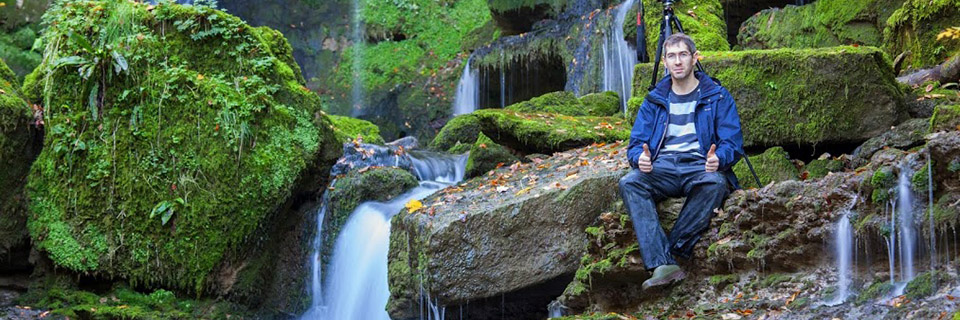
Hi There! I'm David Briard, a French Software Engineer specializing in Computer Graphics.
I've worked 20 years at Micro Application and Avanquest, as a key contributor to these consumer software publishers, I've developed a robust skill set in software development and graphics programming. My work spans photo editing, image processing, 3D rendering, graphic design, mobile apps & games, and SaaS solutions. I led the development of several successful software products, optimizing performance and enhancing user experience. I have worked both solo and in small teams, supervising developers internationally in France, Ukraine, and Poland, while collaborating with teams in Canada and India. I'm proficient in C#, C++, .NET and WPF to build rich desktop experiences, but also cross-platform applications with Avalonia.
Moreover, my deep passion for video games has led me to explore the techniques used in this field, particularly real-time 3D rendering with OpenGL and DirectX (and now DirectX 12), but also game engine architecture, lighting and shading, animation, collision and physics, artificial intelligence (AI), particle systems, or multiplayer, through numerous books, articles, and personal projects.
My hobbies include: photography, tv shows, video games, cooking vegan food, gardening.
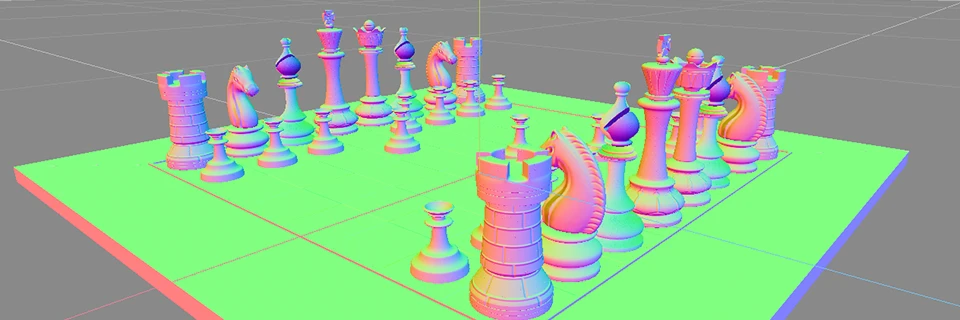
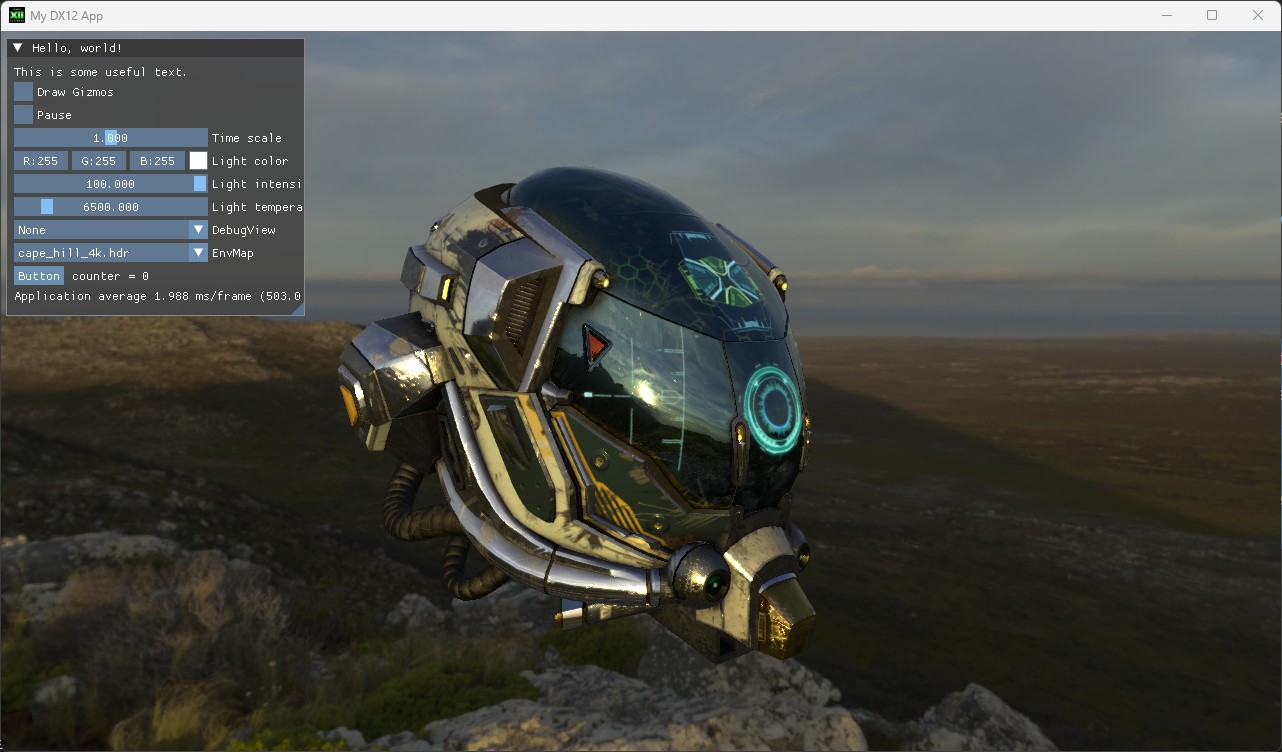
I'm currently working on a new graphics engine built from the ground. It features a rendering abstraction layer supporting both DirectX 12 and Vulkan, and uses HLSL as the core shading language. Designed to experiment with rendering techniques and game architecture, the engine also integrates a custom Entity Component System (ECS) for real-time simulation and gameplay.
As part of my new engine, I've implemented a custom archetype-based Entity Component System (ECS) designed for high performance data access. Entities are grouped into chunks based on their component composition, enabling fast iteration and cache-efficient access.
Geometry Wars Clone
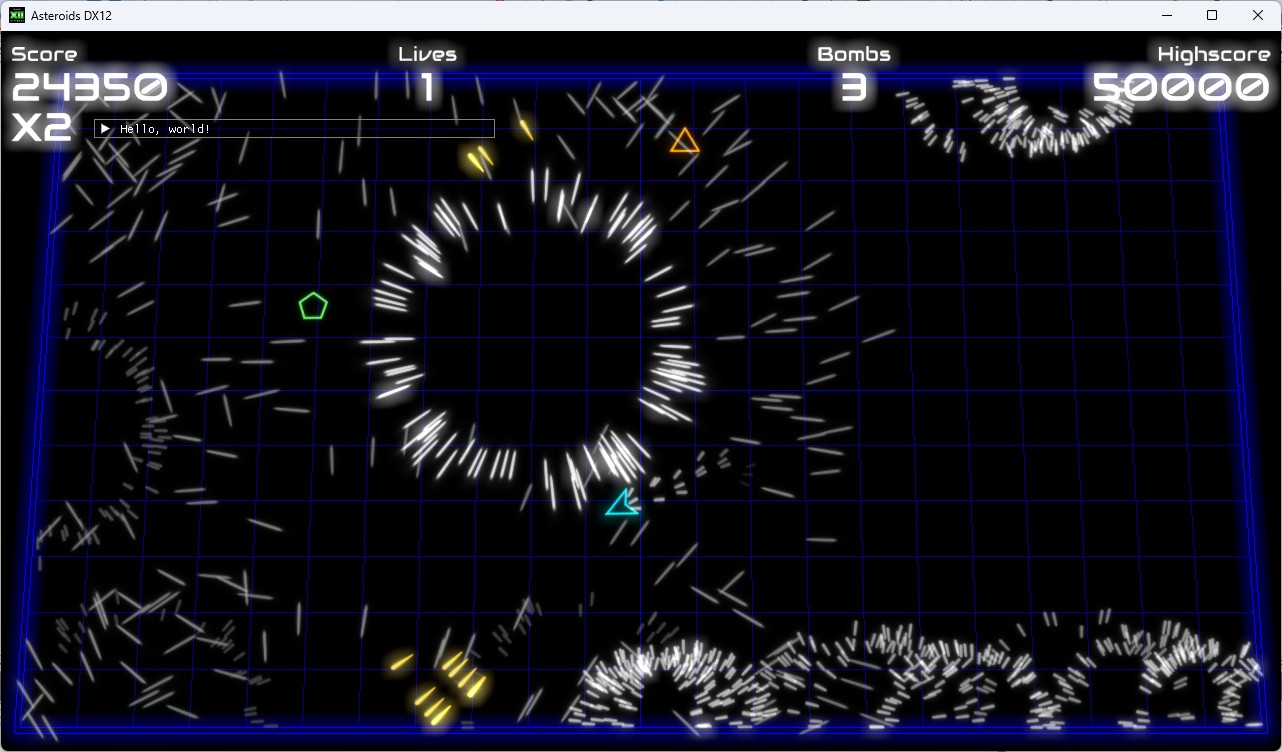
To put my engine and ECS to the test, I am writing a Geometry Wars-inspired arcade shooter. The game features enemies with steering behaviors and particle effects, built using custom systems. It serves as a real-world example to learn using ECS for gameplay.
Focus Inspector
I created this application in 2024 after getting my new DSLR camera to recalibrate all my lenses in a more precise way.
The problem
Each DSLR and lens has manufacturing tolerances, meaning that even high-end lenses might not be perfectly matched to a specific camera body. Calibrating your lenses with a DSLR is important because of a phenomenon called front focus or back focus, which occurs due to slight misalignments in the autofocus system.
These issues can make images look soft or out of focus, especially with wide aperture lenses. Calibration ensures that each lens focuses accurately with your specific camera.
The need
On paper, this sounds really cool, but in practice, it's not a trivial task! My Pentax camera has a setting that ranges from -10 to +10, allowing the focus to shift forward or backward. The calibration process involves finding the optimal value that produces the best focus precision and sharpness, and this needs to be consistent from image to image.
Basically, you have to take images at every setting (and with every lens), then choose the setting that produces the best images. This involves capturing a lot of images and comparing them visually, which can be challenging and time-consuming.
It would be nice to have a tool that could handle this process scientifically and automatically. Unfortunately, such a tool does not exist, at least not for Pentax DSLRs.
For other brands, there are tools available that can manage the entire calibration process automatically.
The Solution
Even if I couldn't fully automate the process (which would require an SDK to control the camera, something that doesn't exist), I can handle the process of comparing images and choosing the best setting in a fun way.
Here's how the app works:
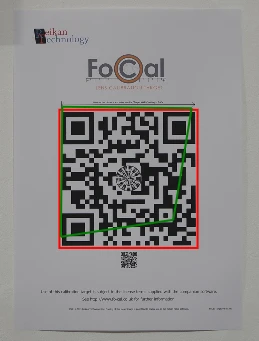
Prepare the Focus Target: Print and set up a special focus target that includes a QR code.
Capture Images: Take a series of photographs of the focus target while adjusting the AF Micro-Adjustment (AFMA) setting from -10 to +10 (in increments of 2).
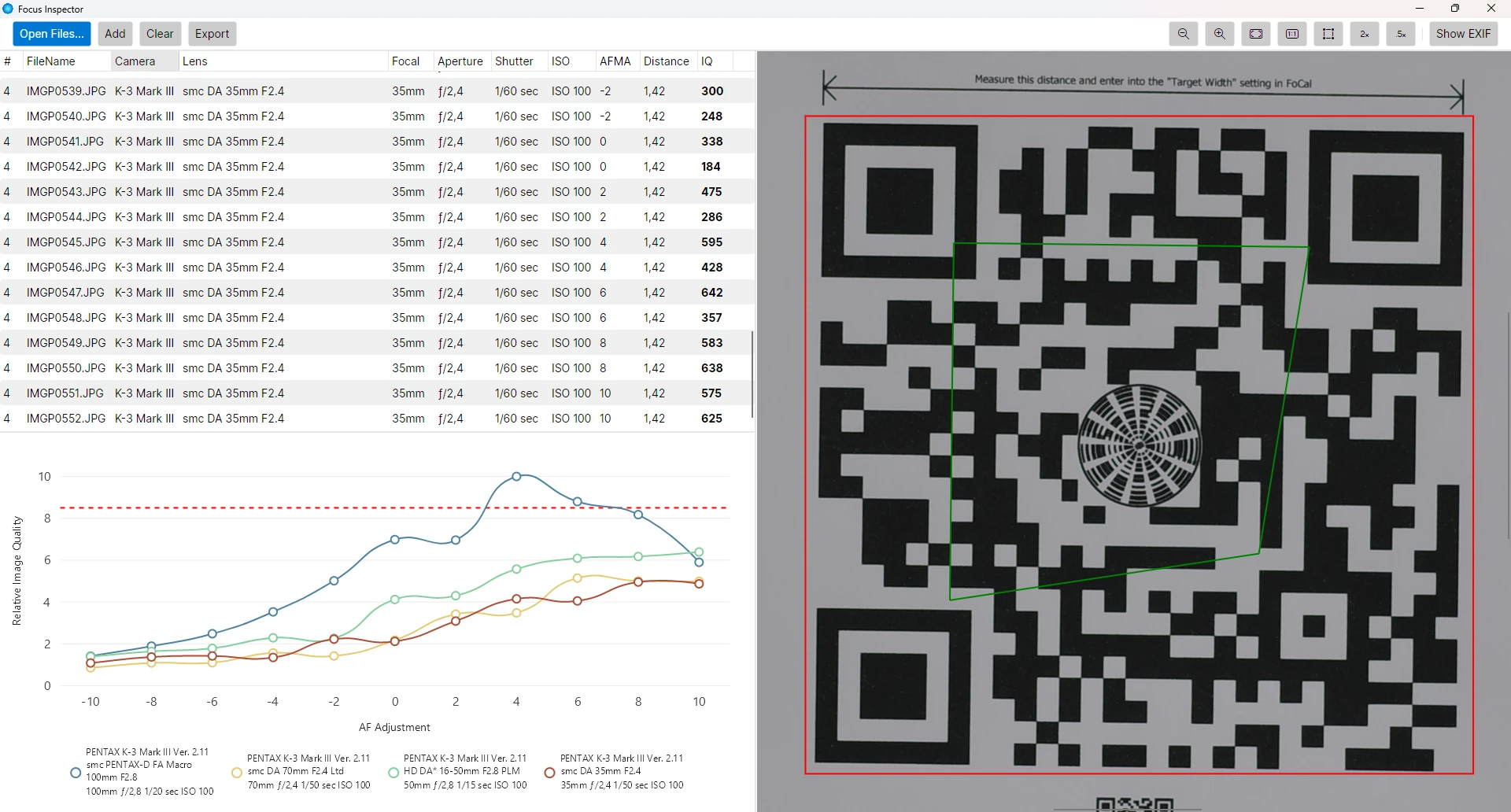
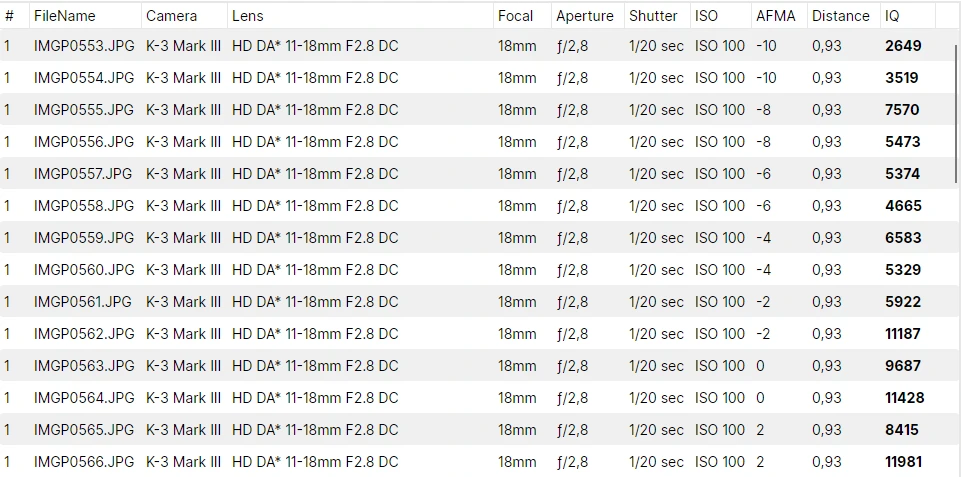
Load Images: Upload the captured images into the calibration tool. The tool will automatically extract useful EXIF data such as camera model, focal length, aperture, and manufacturer metadata like lens type, focus distance, and AF Micro-Adjustment settings.
Image Quality Analysis: The application computes a relative Image Quality metric by analyzing the horizontal and vertical gradients within the image. This metric is normalized using the surface area of the QR code (detected using ZXing.Net) to ensure consistency across different images.
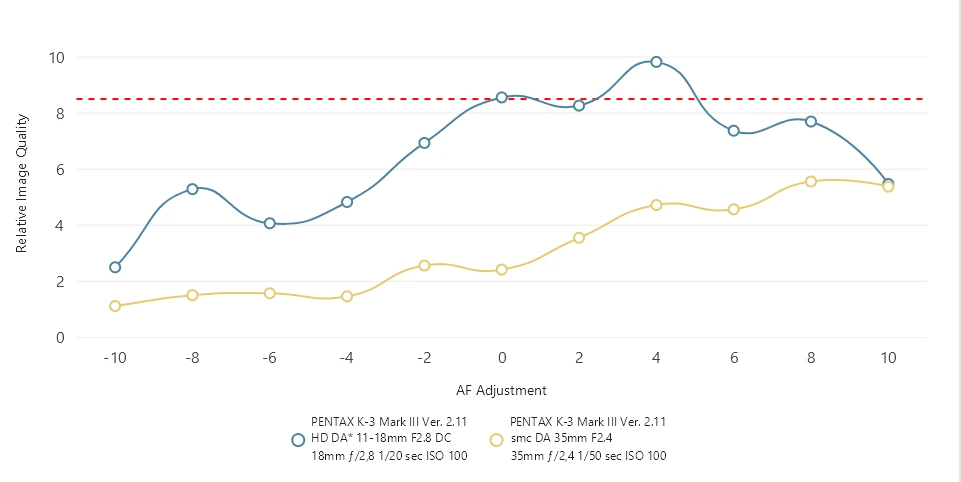
Plot IQ Metrics: After computing the image quality metrics, the application plot the results on a graph (LiveCharts for Avalonia). This visual representation will display how the focus precision and sharpness vary with different AF Micro-Adjustment settings. By looking at the curves, we can easily identify the optimal settings that yield the best image quality 😊.
I used the following NuGet packages to accelerate the app development:
Interactive 3D Reconstruction of the Templar Tower (13th Century) – Hyères
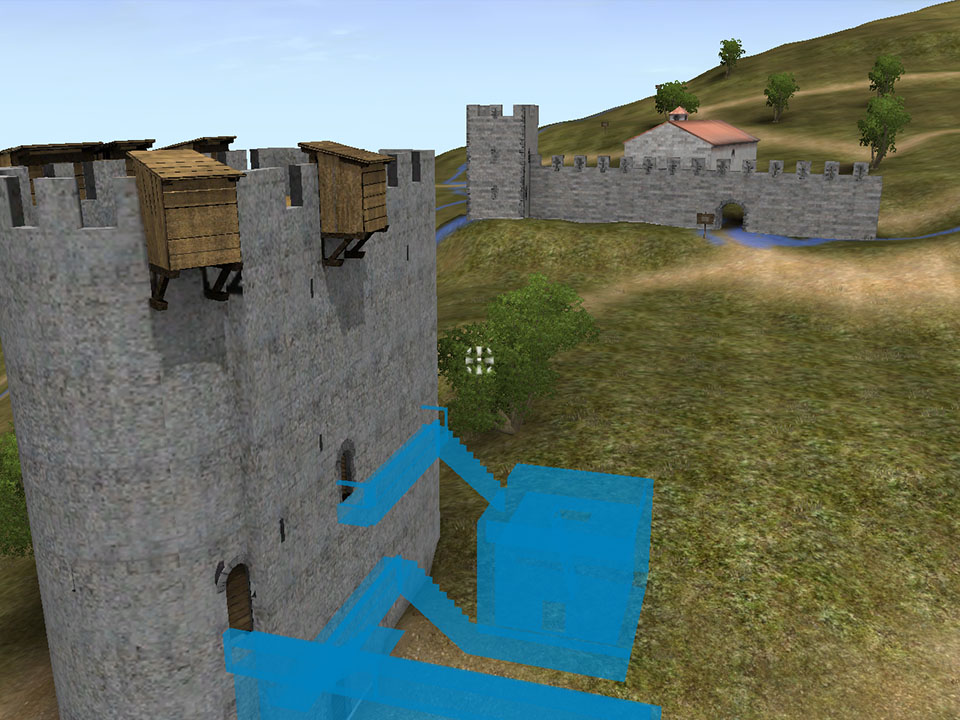
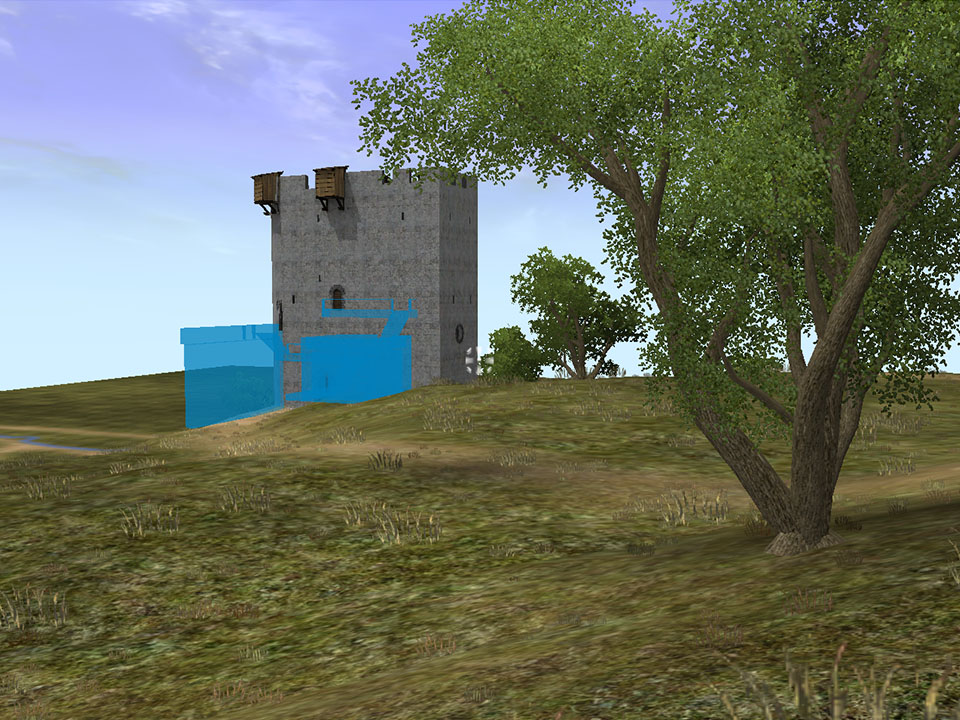
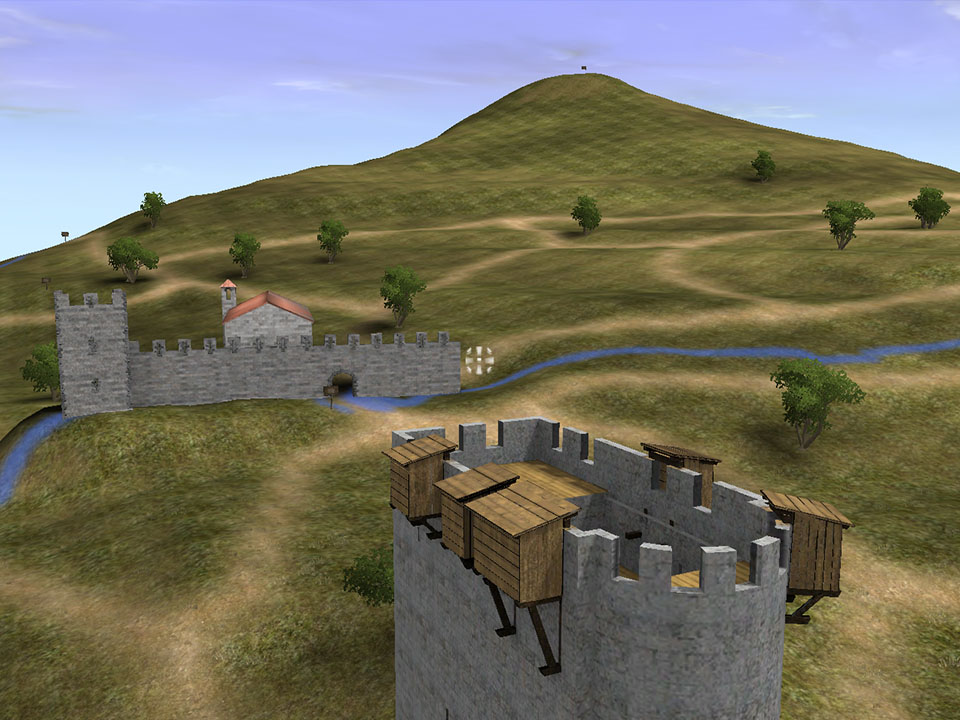
I collaborated with a friend on an interactive reconstruction of the Templar Tower as it stood in the 13th century. This project, created for the city of Hyères in 2006, was showcased by the Mayor via a projector inside the tower during an official event.
3D Modeling
My friend used LightWave 3D to recreate the terrain and buildings as they existed in the 13th century. Structures that no longer exist today were highlighted in blue.
3D Engine
I integrated his models and textures into a custom 3D engine I developed in DirectX 9. To enhance realism, I added an animated sky and dynamic vegetation. The trees use a technique similar to SpeedTree, where wind dynamically animates branches and leaves. The grass consists of billboards, also distorted by wind simulation.
Interactivity
The demo was fully playable with a mouse and keyboard or a game controller, allowing for an immersive exploration of the tower and its surroundings. Players could interact with the environment, including opening and closing doors, and entering buildings. Building collisions were handled using BSPTree, a technique I implemented based on Stan Melax’s excellent article on BSP collision detection as used in MDK2.
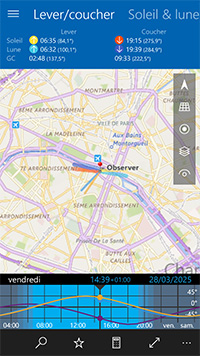
Photo Calc
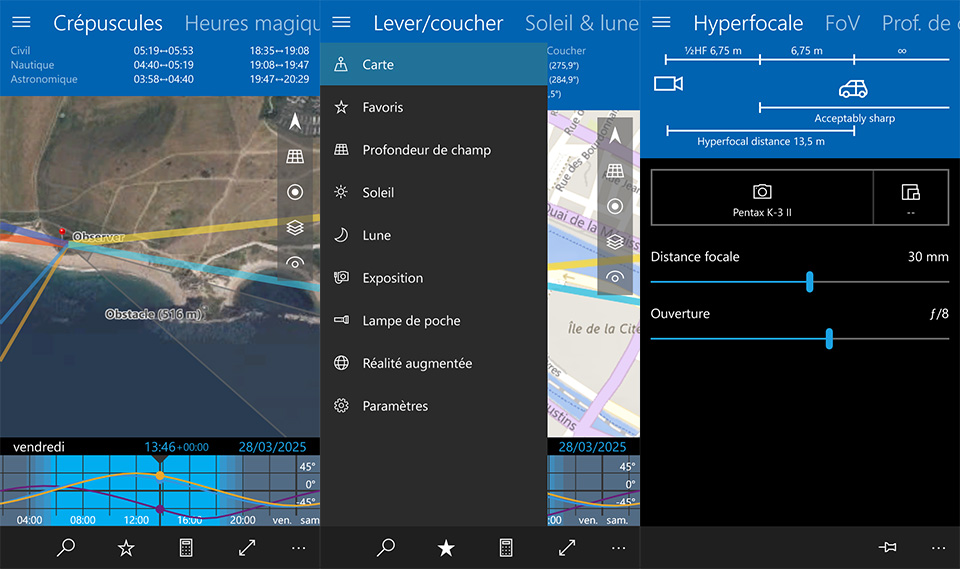
Photo Calc is an application I developed for myself in 2015. At the time, I was already familiar with The Photographer's Ephemeris (TPE), the most popular app for calculating sunrise and sunset times from anywhere in the world and visualizing directions on a map. However, a new game-changer app entered the market: PhotoPills, an iOS-exclusive app offering a rich set of features. PhotoPills went far beyond TPE, aiming to be the Swiss Army knife for photographers by offering a full range of tools in a single application, such as magic hours, hyperfocal distance calculations, and augmented reality to visualize the sun's position in real-time. It was truly impressive!
The catch? I didn't have an iPhone. I was a satisfied Windows Phone user, but the platform lacked comprehensive photography apps. Determined to fill this gap, I set out to develop my own app: Photo Calc.
I started my journey in computing on the Amiga, and among its many philosophies, one especially stayed with me throughout my life:
"If you can't find the software you need… write it yourself!"
- The Amiga Community
Challenge
With my knowledge of C# and WPF, I only needed to learn the basics of Universal Windows Platform (UWP) and some Windows Phone-specific features like dynamic tiles or sensors. This technical aspect was relatively straightforward. However, the rendering performance with the UWP implementation wasn't good enough, especially for the "TimeBar" at the bottom and the map annotations, which were very slow. To ensure smooth performance, I switched to using Win2D for these specific elements. The Augmented Reality (AR) view also benefited from Win2D's hardware acceleration.
The real challenge was diving into complex astronomical concepts such as Julian Day, Sidereal Time, Ecliptic, Equatorial and Horizontal coordinates, Right Ascension, and Declination. Finding the right formulas and verifying them required a lot of research and patience.
Features
I developed a comprehensive set of features for my app. One feature I particularly liked, not found in PhotoPills, is the ability to open a photo and have the app automatically configure the exact location, angle of view, focal length, aperture, date, and other settings to retrieve the capture conditions.
Maps
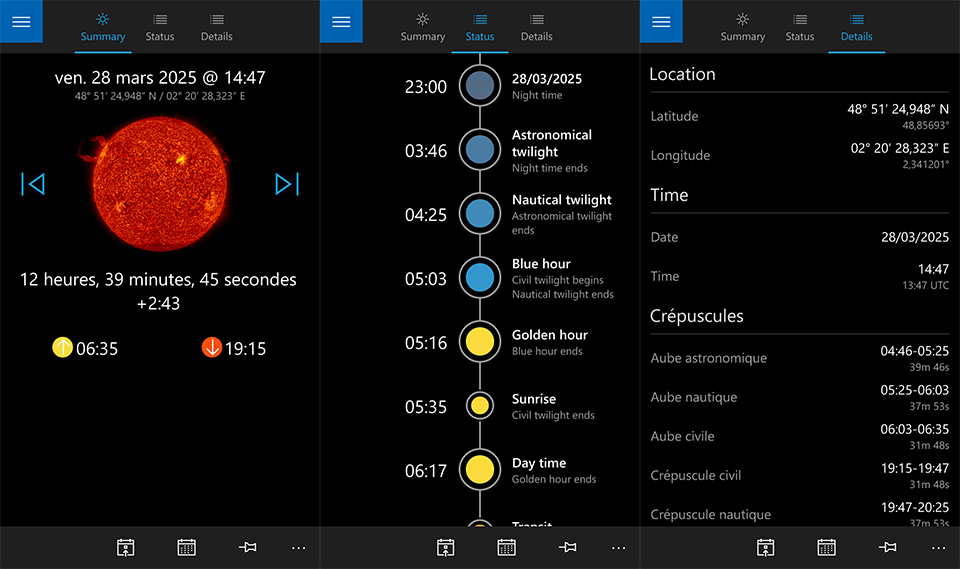
Rise and set times for the sun, moon, and galactic center.
Sun and moon azimuth and elevation.
Moon phase.
Twilight hours (civil, nautical, and astronomical).
Magic hours (dawn and dusk).
Observer data (longitude, latitude, altitude).
Obstacle data (distance and angle to observer).
Shadow length calculation based on subject height.
Angle of view (focal length and aperture).
Capture settings from a photo file.
Calculate when the sun or moon will be at a specific location.
Direct access to itinerary.
Various map types.
Other Tools
Favorite: Store your preferred photography spots for quick access.
Depth of Field: Hyperfocal, depth of field, and angle of view calculation.
Sun and Moon Information: Full range of data about the sun and moon.
Exposure: Convert exposure settings, useful when using ND filters.
Flashlight: Always useful for low-light situations.
Augmented Reality: Visualize the sun's trajectory on the camera view.
Dynamic Tiles: Quick access to a specific tool, or display sunrise and sunset times without launching the app.
Note to Self: redo a cross-platform Photo Calc with Avalonia!
Doomtrooper Card Factory
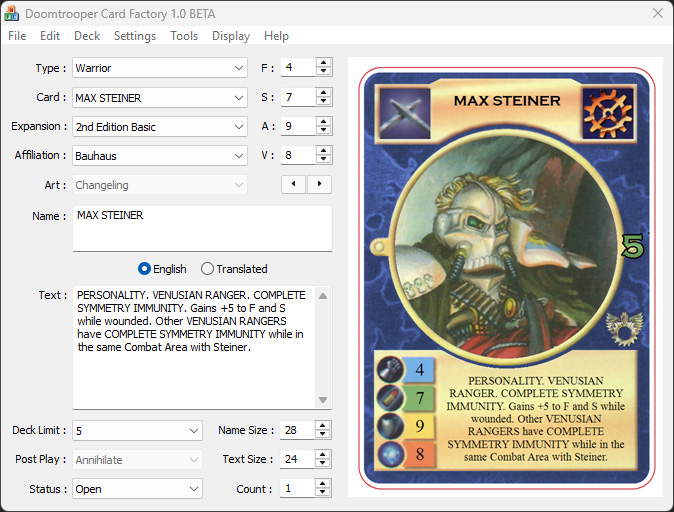
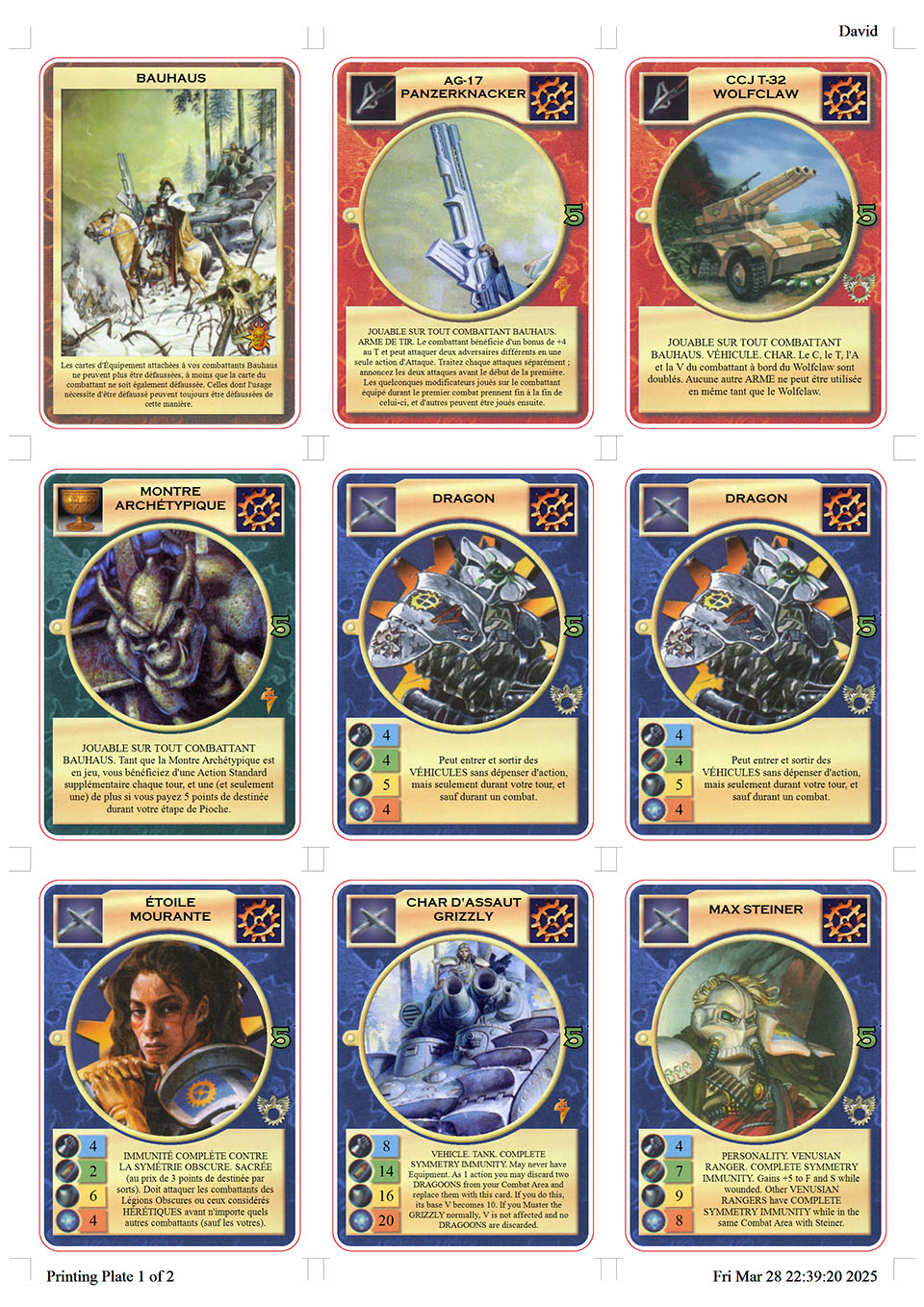
I created this tiny app for myself and my group of friends in 2003. At the time, we were huge fans of the Doomtrooper card game, but unfortunately, it was discontinued. Unable to find new cards to coninue to play, I came up with an alternative solution!
How was it done?
I knew about a website called CCG Workshop, which had developed the gatlingEngine, a client that allowed online play of many Collectible Card Games (CCGs). However, playing behind a screen just wasn't the same!
I gathered all of their Doomtrooper assets (graphics, icons, texts, and everything needed to render a card). Using MFC and GDI+ at the time, I created an app that allowed customization of cards based on different parameters, loaded from a database containing over 1,200 cards.
I also added a translation feature, as the CCG Workshop database was only available in English. It took a while, but we managed to translate almost all the cards as close as possible to the French version.
Last but not least, the app allowed us to create custom decks and generate ready-to-print neatly formatted sheets.
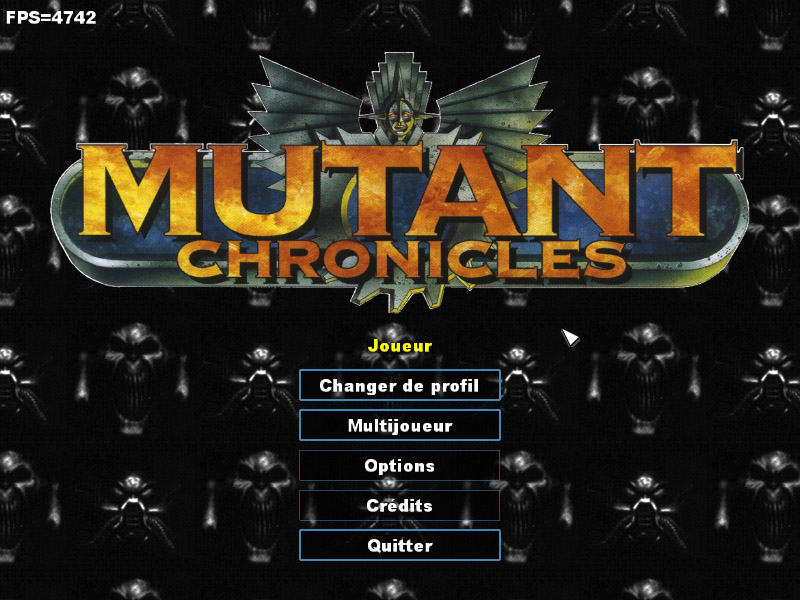
Here’s a video capture of my old game engine from 2005, while I was switching from OpenGL to DirectX 9.
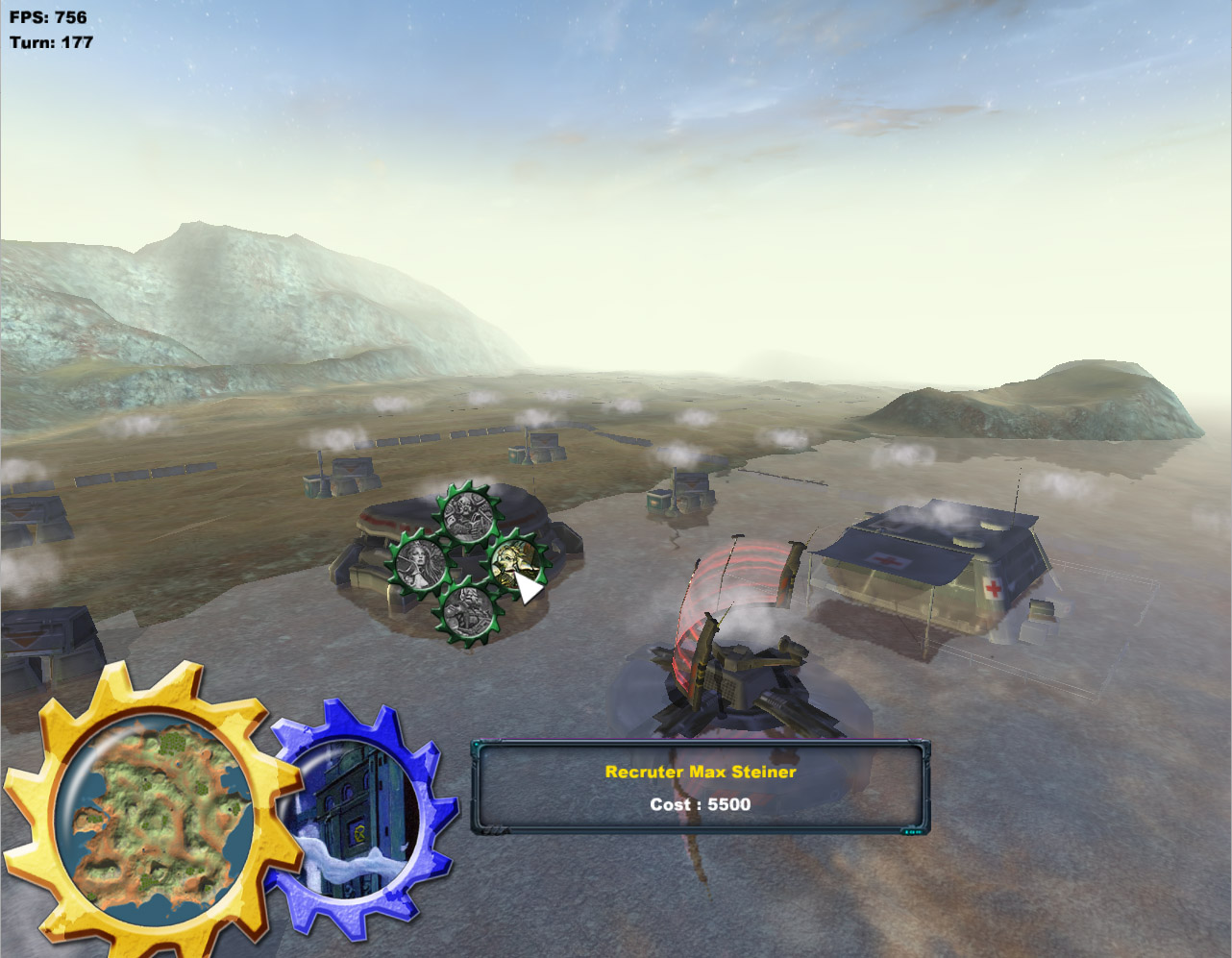
At the time, I was playing a lot to Ground Control II, so this game naturally became my learning material, serving as both as example and inspiration. Not being a 3D artist, I needed models to work with, so I spent days reverse-engineering the game’s model file formats using a hex editor. I also studied how the terrain was rendered with no more than six texture layers and analyzed its rendering pipeline with PIX, which proved far more instructive than DirectX tutorials.
The demo also features my implementation of shadow volumes, a technique made famous by Doom III, along with a menu system inspired by The Battle for Middle-earth, another great RTS of that time.
Here are some old screenshots and video captures of a custom OpenGL engine I developed back in 2005! In this project, I was experimenting with pathfinding in a 3D terrain environment.
Jump straight to the last video if you want to see the most complete demo, featuring a game menu, music, sound effects, and 3D models.
In this first video, you can see basic unit movement and collision resolution.
Here, the pathfinding algorithm (likely A*) is in action, displaying the path checkpoints for navigation.
This video showcases path-following using steering behaviors for smooth movement.
Full sample
Finally, a more feature-complete video including:
A main menu built with a custom UI framework.
An in-game HUD, displaying a minimap and unit selection.
Audio integration using FMOD for music and sound effects to enhance feedback.
The gameplay, designed with multiplayer in mind.
Note about multiplayer implementation
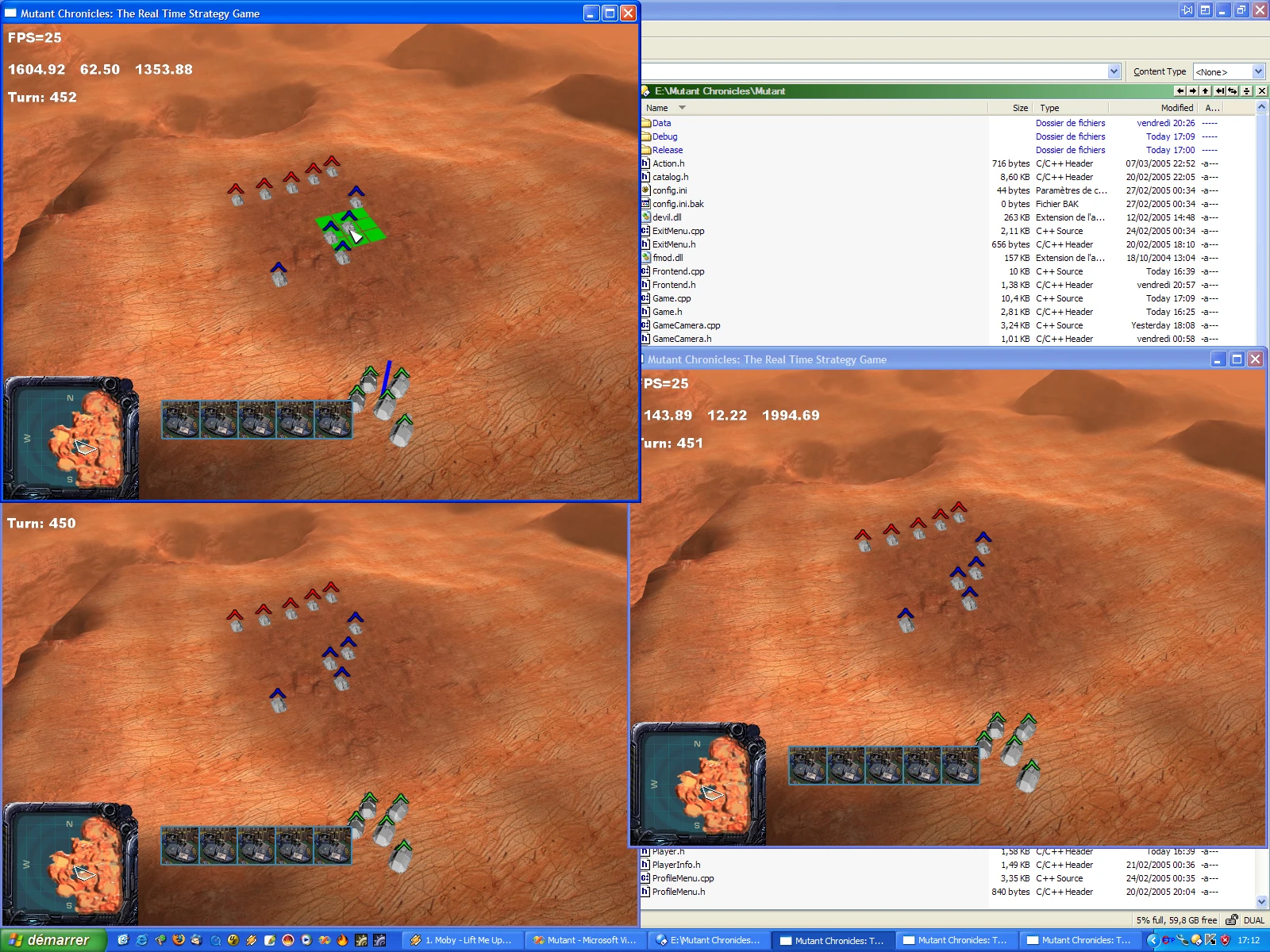
One interesting aspect not visible in the video is the multiplayer implementation. It was inspired by an article I found on Gamasutra, which explained client-server synchronization in multiplayer games.
If I recall correctly, the approach involved the client sending user inputs to the server, which then processed the actions, resolved conflicts (including potential cheating), and broadcasted the validated actions to all players to keep the game in sync.
To improve responsiveness, the client could optimistically start an action immediately (prediction) and later adjust it if the server returned a different outcome.
For networking, I used RakNet, a robust C++ networking library. Below is a screenshot from a three-player local test, and I also conducted online testing with a friend.
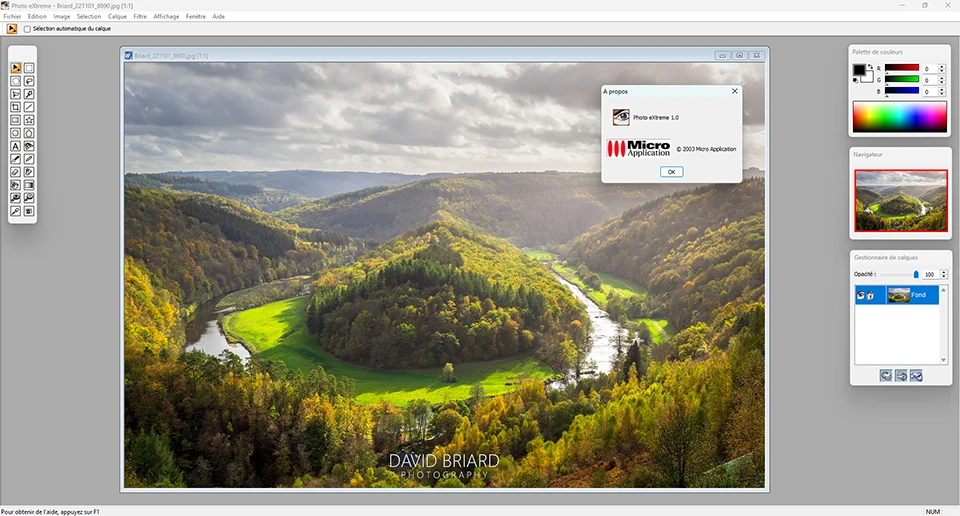
This was my very first photo application and also my first commercialized app, developed entirely on my own. After my internship at Micro Application, I was given the opportunity to create my own photo app during the summer break in 2003 to put my newly acquired skills into practice. And of course, earning a little extra money as a student was a nice bonus!
Here’s the result after just two months of development, I packed it with a wide range of tools, image filters, and layer support. I’m pleasantly surprised that, more than 20 years later, the app still launches… and works perfectly! 😊
Photo Studio 11
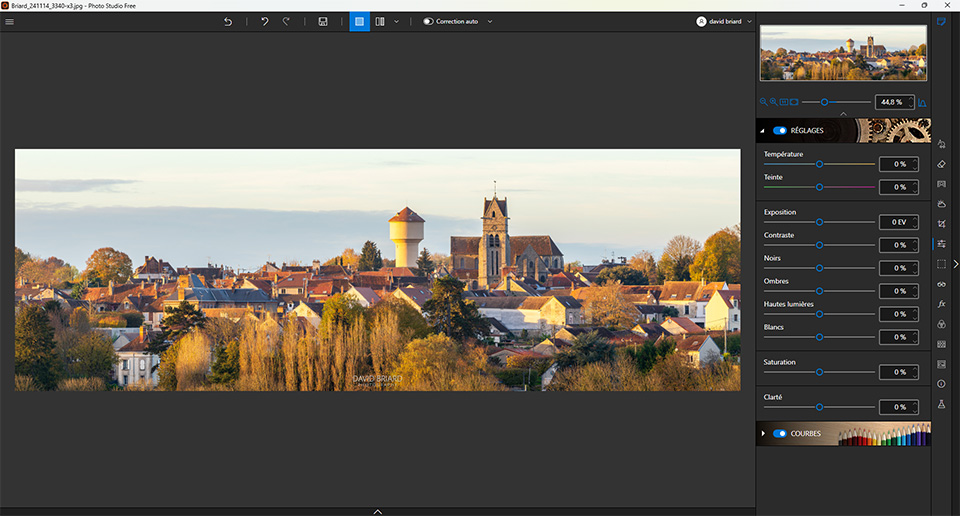
inPixio Photo Studio is a comprehensive photo editing software for Windows platform, inspired by Adobe Lightroom, and developed as part of the inPixio suite. It unifies the features of the legacy products PhotoEditor, PhotoEraser, and PhotoCutter into a single, easy-to-use application.
As the sole developer on this project, I handled the entire development process, from architecture design to feature implementation and key technological choices. Built with C# and WPF, the software also leverages C++ toolkits such as LibRaw, OpenCV and Intel IPP. I implemented numerous image processing features, drawing from scientific publications as well as custom-developed algorithms. The user interface is based on Windows 10 Fluent Design, offering a modern and intuitive experience at the time of release (March 2020). Performance was optimized using SIMD, multithreading, and other acceleration techniques, ensuring a high-quality user experience.
Features
Image Formats: Handles standard formats and RAW files.
Metadata Management: Reads and edits metadata (EXIF, IPTC, etc.).
Non-Destructive Editing: Parametric edits ensures original file remains unaltered.
Sidecar Files: Preserves settings in associated sidecar files (.ipe).
Real-Time Performance: Utilizes spatial subdivision, SIMD, and multithreading.
Filmstrip Navigation: Sorts, filters, and rates images.
Crop: Provides precise cropping and rotation.
Global Adjustments: Adjusts exposure, temperature, shadows, and more.
Local Adjustments: Allows for targeted edits to specific areas of your image.
RGB curves: Tweaks individual color channels to enhance tonal range.
Red-Eyes Correction: Automatically detects and removes red-eyes.
Detail & Noise: Enhances clarity and reduces noise.
Haze Removal: Clears atmospheric haze.
Perspective Correction: Correct distortions and align vertical and horizontal lines.
Lens Correction: Corrects lens distortions.
Split Toning: Applies color grading to shadows, midtones, and highlights.
Special Effects: Applies tilt-shift, grain, bokeh, and vignetting.
LUTs: Offers quick color grading.
Frames & Textures: Adds decorative elements.
Overlays: Adds text, SVG, images, and more.
Object Removal: Eliminates unwanted elements with AI inpainting or clone stamp.
Sky Replacement: Replaces the sky with AI segmentation for realistic results.
Background Removal: Removes backgrounds using AI for precise cutouts.
Auto Exposure: Automatically adjust exposure levels for optimal brightness.
Presets Management: Saves and applies custom editing configurations.
Video Tutorials: In-app feature demos and full-length tutorials on YouTube.
Elements
Text
This is bold and this is strong. This is italic and this is emphasized.
This is superscript text and this is subscript text.
This is underlined and this is code: for (;;) { ... }. Finally, this is a link.
Heading Level 2
Heading Level 3
Heading Level 4
Heading Level 5
Heading Level 6
Blockquote
Fringilla nisl. Donec accumsan interdum nisi, quis tincidunt felis sagittis eget tempus euismod. Vestibulum ante ipsum primis in faucibus vestibulum. Blandit adipiscing eu felis iaculis volutpat ac adipiscing accumsan faucibus. Vestibulum ante ipsum primis in faucibus lorem ipsum dolor sit amet nullam adipiscing eu felis.
Preformatted
i = 0;

while (!deck.isInOrder()) {
    print 'Iteration ' + i;
    deck.shuffle();
    i++;
}

print 'It took ' + i + ' iterations to sort the deck.';

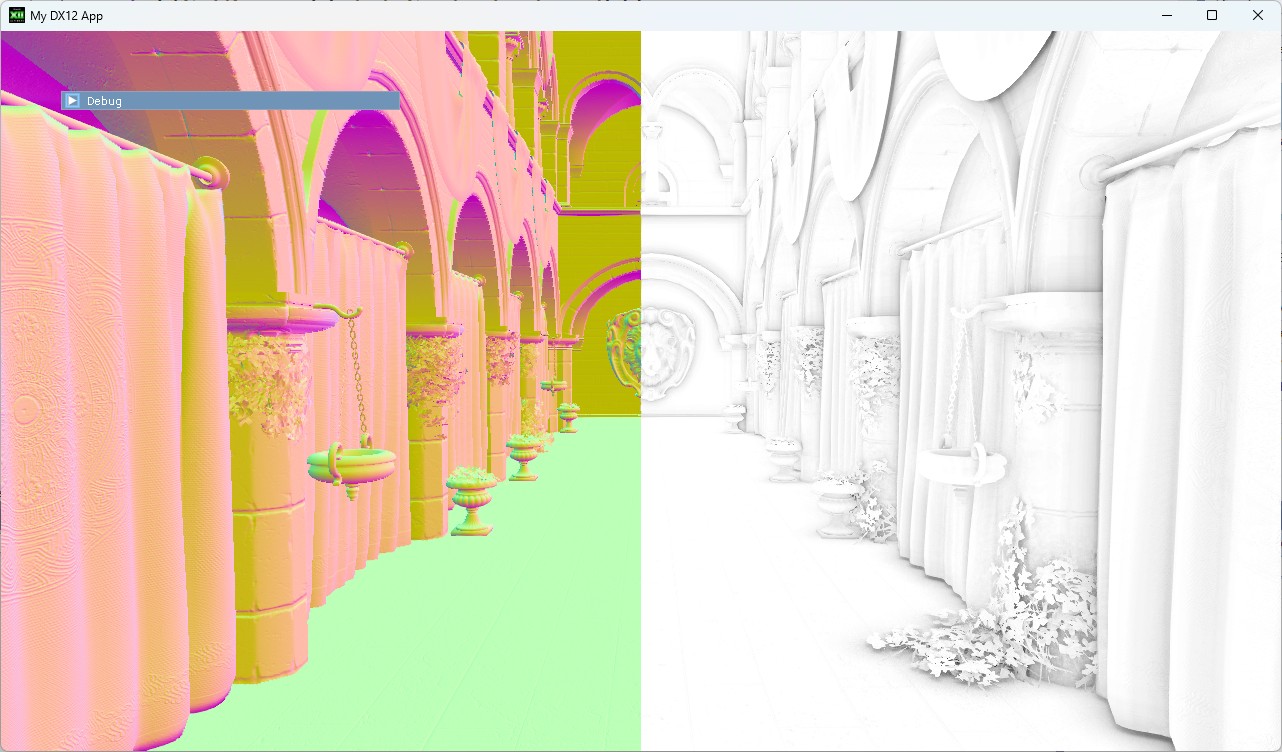 SSAO (Screen-Space Ambient Occlusion)
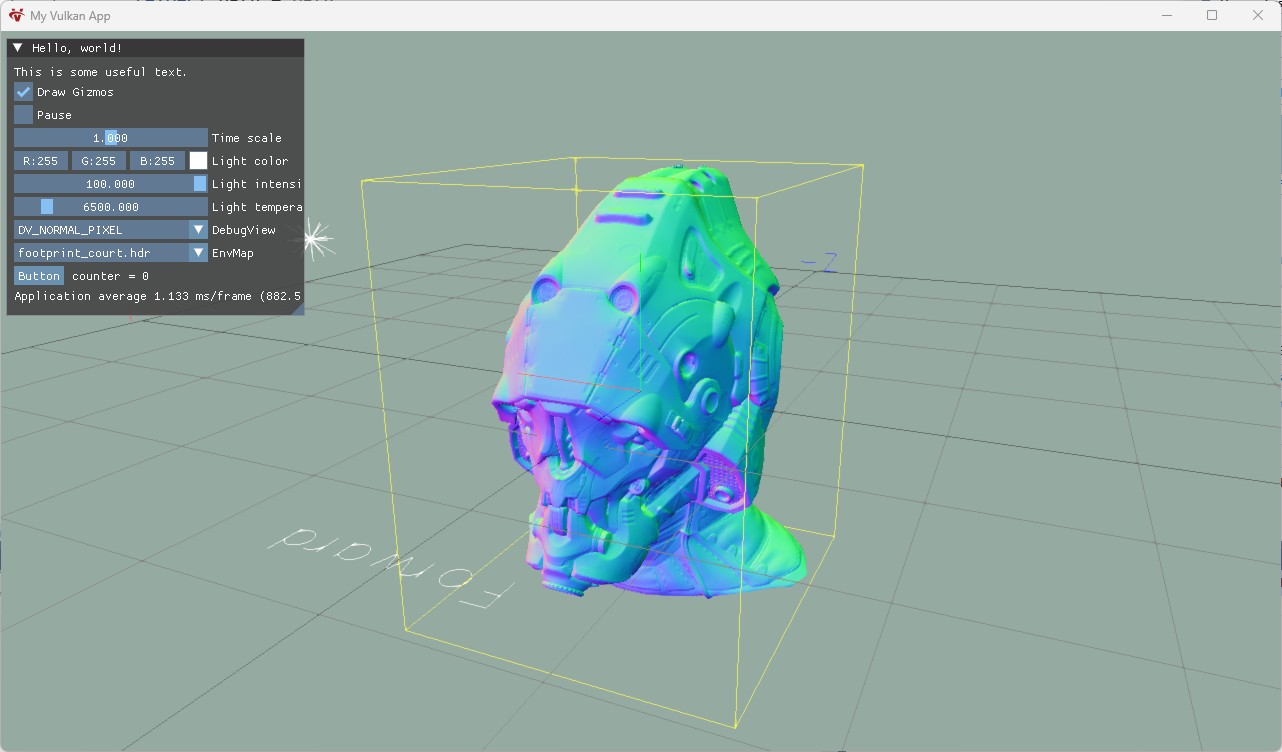 Gizmos & Immediate Debug Tools
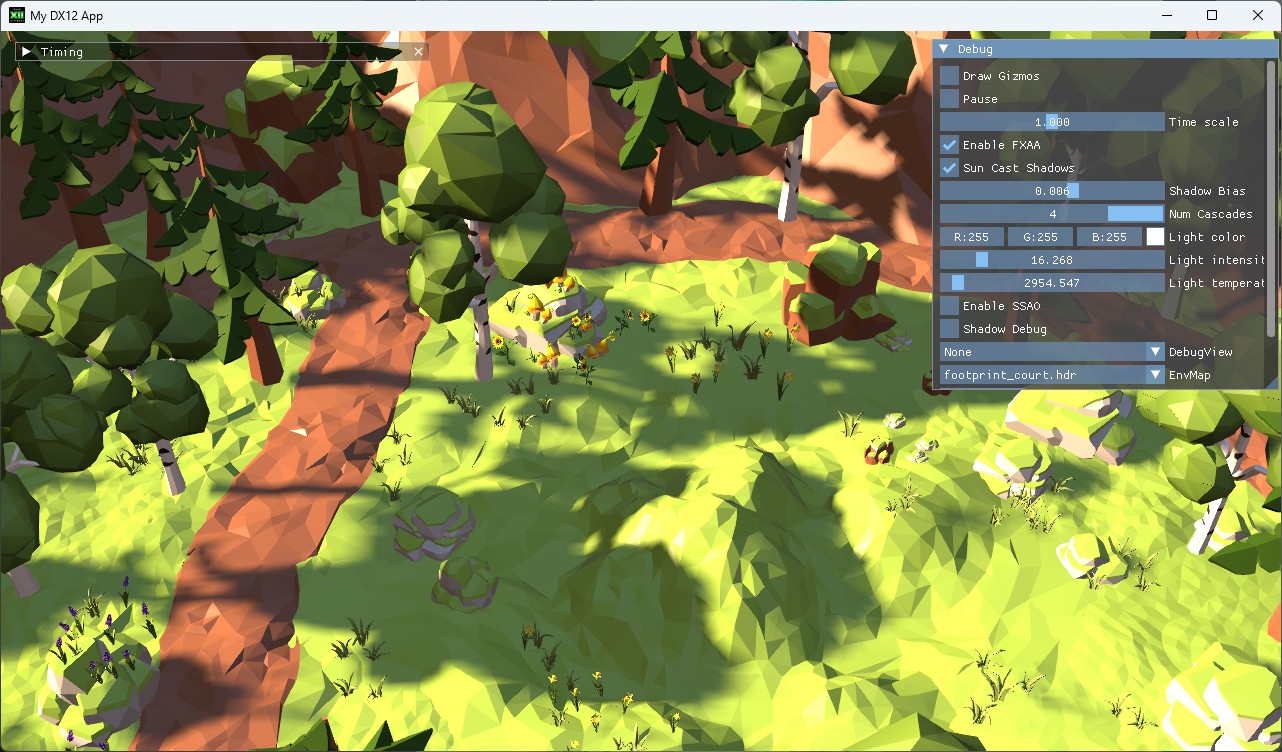 Cascaded Shadow Maps